Map the table
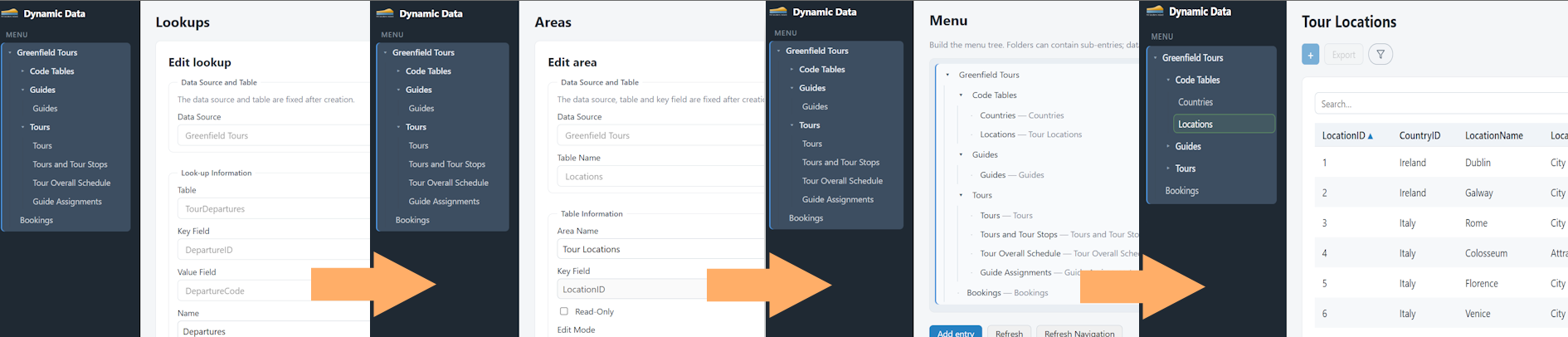
Your administrator picks the data source and the table. Columns and the primary key are detected automatically — the mapping is then fixed for that screen.

How it works
Traditional screens are code: each one needs a request, design, implementation, test and release. Hill Solutions Dynamic Data is metadata-driven. An administrator describes an existing table — which columns, which are editable, which value lists apply — and the application builds the working screen at runtime. When the schema moves, the description is updated. That is all.
Your administrator picks the data source and the table. Columns and the primary key are detected automatically — the mapping is then fixed for that screen.
Per column: display name, field type, visible, editable, and a lookup for ID columns. Reorder columns by drag & drop. Use bulk All/None buttons for large tables. Then pick the entry mode: inline grid, or a designed full-page form with sections and master–detail tabs.
Place the area in the menu tree, grant read or edit rights to a group, and the screen is live for that group’s users — in their own language.
This is what changes versus the development-cycle model. No ticket, no sprint, no release window.
The database team adds a column to a live table. Your administrator opens the area for that table and clicks Refresh Fields — the new column appears in the column grid.
Set the display name, mark it visible and/or editable, and attach a value list if it stores an ID. Thirty seconds of clicking.
The screen now shows and edits the new field. The menu, permissions and everyone else’s screens are untouched. No code change, no redeployment, no vendor visit.
The application never creates or alters database structures. It maps tables that already exist and reads and writes rows only — with parameterized queries and strict identifier validation. Your database team’s domain stays exactly where it is: their domain.